Ad videos for startups and apps: get your app installed in 20 seconds
Your startup has a product that works, but nobody gets what it does in three seconds of scrolling? An ad video for your startup or app should show the problem, your app's key screen and the button to tap, not pitch your vision. Here are prompts, ideas and a script you can adapt for your Meta and YouTube campaigns or your homepage.
Ready-to-use prompts
6 video ideas for startups and apps
01The problem in 3 seconds
Open on the headache your app removes (a scribbled-over stock notebook, missed appointments) in giant text, then cut to the screen that fixes it. It's the most effective format in Meta ads for stopping the scroll.
02Single-feature demo
One ad = one feature: barcode scanning, one-tap payment, automatic reminders. Animate your screenshots with a tapping finger and zoom in on the key button.
03Before / after the app
Split screen between the current method (WhatsApp, Excel, paper) and your interface, with the time saved on screen. Perfect for a B2B SaaS that needs to justify a subscription.
04Launch or new version
Animated countdown, logo reveal and a list of what's new in the update. Send it to your waitlist and to inactive users to win them back.
05Answering objections
One video per objection: "Does it use a lot of data?", "Is my data being sold?", "Is it really free?" Answer clearly, in on-screen text and voice-over, and target people who visited your app store page without installing.
06Animated customer testimonial
Upload a photo of a real user (with their permission) and animate their quote in kinetic typography with their concrete result. It builds far more trust than a slogan, especially for a young, unknown brand.
Sample script
On-screen text and voice-over, scene by scene. Paste it into ManyMotion and adapt it to your offer.
Scene 1
"Found out you're out of stock… in front of a customer again?" — giant text on a red background
🎙️ “Found out you're out of stock in front of a customer again?”
Scene 2
Scribbled-over stock notebook crumples and disappears
🎙️ “No more notebooks and late-night math.”
Scene 3
Kassa app screenshot: "Only 3 bags of rice left" alert animates in
🎙️ “Kassa warns you before your stock hits zero.”
Scene 4
Offline icon + "Works even without internet"
🎙️ “And it works even when the network drops.”
Scene 5
Animated counter: today's sales adding up
🎙️ “Your daily sales, calculated automatically.”
Scene 6
Kassa logo + "Free on Google Play" button
🎙️ “Download Kassa free on Google Play.”
A real example made with ManyMotion
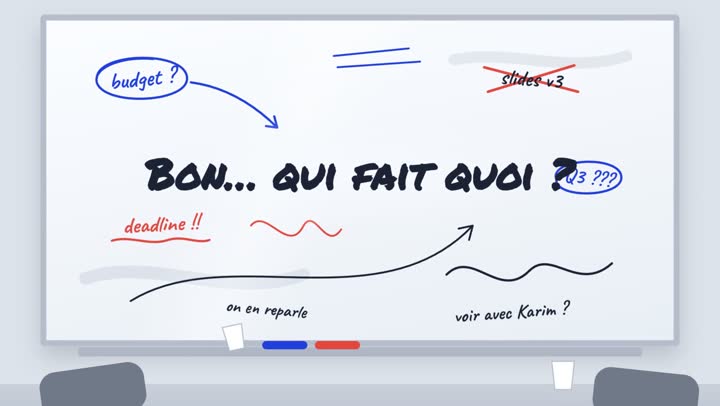
App launch
SaaS launch: “Who’s Doing What?”
The question that ends every meeting hangs over a cluttered whiteboard until Nova turns the chaos into a list of action items, each with a name.
Watch the video and its script
What works in ad videos for startups and apps
On Facebook, Instagram and YouTube, your prospect knows neither your brand nor your product. So your ad has to answer three questions in a few seconds: what problem, what the app looks like, what should I tap now. Everything else (fundraising, team, vision) doesn't matter to a future user.
- Show the real interface: animated screenshots, zooms on the key button, a tapping finger. An app people can't see stays abstract.
- One feature per video: run several short creatives instead of one long demo, then keep the ones that drive the most installs.
- Captions and on-screen text: lots of people watch with the sound off, so the essentials need to be readable.
- Address local concerns: app size, data usage, offline mode, mobile money payments like M-Pesa if you accept them, a web version if available.
- Time your campaigns right: launches, new versions, back-to-school, January for productivity and fitness apps, the holidays and Ramadan for delivery and e-commerce, tech conferences where your B2B audience is paying attention.
- One clear, specific call to action: "Download on Google Play," "14-day free trial," "Join the waitlist."
Mistakes to avoid
- Opening on your logo: the first seconds should hook viewers with the problem; the logo comes at the end. Get inspired by our video hooks that stop the scroll.
- Listing every feature: ten features in twenty seconds means nobody remembers any. Pick the one that drives installs.
- Talking startup jargon: "disruptive all-in-one AI-powered platform" means nothing to a shop owner. Describe the concrete result.
- Showing an interface that doesn't exist yet: if users can't find what they saw in the ad, they uninstall and leave a bad review in the app store.
- Hiding your paid model: "free" has to mean free. If it's a trial or freemium, say so clearly.
- Running the same creative for months: your audience gets bored fast, so refresh your videos as soon as results drop.
If your app is in fintech (payments, lending, savings, savings groups) or health, be extra careful: don't promise earnings, rates or medical outcomes, state the essential terms and make sure your business is authorized where you advertise. Ad platforms also enforce their own rules for these categories: check them before you launch, and have a professional review your messaging if in doubt.
Frequently asked questions
How long should an app ad be on social media?
+
Aim for 15 to 20 seconds for Reels, Stories and TikTok, with the problem set up in the very first second. For YouTube or your homepage, a 30- to 45-second demo can work if every scene shows a real benefit.
Should the founder appear in the video?
+
Not for an acquisition ad: your future users want to see the app and what it does for them, not who built it. An animation showing the interface and the result is enough, and you can save your founder story for LinkedIn or your About page.
How many videos do I need for an acquisition campaign?
+
Prepare several variations from the start, with different hooks and features, so the algorithm can find the one that converts. With ManyMotion, you start with 60 free credits, then plans from $12/month, so you can test without paying a studio for every version (see pricing).
How do I know if my ad video is working?
+
First look at the view rate for the opening seconds to judge your hook, then the click-through rate to your app store page or landing page. The ultimate metric is cost per install or sign-up, plus how well those users stick around after a few days.