Instagram Reels for Restaurants: Mouthwatering Videos That Fill Your Tables
On Instagram, people often pick where to eat while scrolling, and a great Reel can be worth more than a sign in your window. Here are ideas, a sample script and best practices for posting Reels that make people want to book, save your spot and send it to a friend. With ManyMotion, you describe your video in a chat and the AI animates it from your food photos, no filming required.
Ready-to-use prompts
6 video ideas for restaurants
01Your signature dish in 15 seconds
A photo of your star dish, animated ingredient by ingredient, with the price popping up at the end. It's the Reel people save to "go there someday."
02This week's menu
Every Monday, a short Reel that rolls out the starter, main, dessert and lunch special price. Your regulars get into the habit of checking it before deciding where to eat.
03Answer an objection
"Is it expensive?", "Do I need a reservation?", "Is it halal?", "Any vegetarian options?": one Reel per question, with a clear on-screen answer. It removes doubts before people even walk in.
04Countdown to a big day
Valentine's Day, Mother's Day, Eid, New Year's Eve, Ramadan iftar: a Reel announcing your special menu and limited seats gets people booking early.
05The "send this to your plus-one" Reel
A Reel designed to be shared by DM: "Send this to the person who owes you dinner." DM shares are one of the strongest signals on Instagram.
06Behind the scenes, by the numbers
No need to film your kitchen: animate the numbers you're proud of, like fresh pasta made every morning, fish delivered straight from the docks, or grandma's recipe served for years. It shows your craft in seconds.
Sample script
On-screen text and voice-over, scene by scene. Paste it into ManyMotion and adapt it to your offer.
Scene 1
"Wondering where to grab lunch?" (big centered text, restaurant's brand color background)
🎙️ “Still wondering where to grab lunch today?”
Scene 2
Photo of today's special slowly zooming in + "7-hour braised short ribs"
🎙️ “Here, our short ribs simmer for seven hours. They melt in your mouth.”
Scene 3
Starter + main + dessert stacking up in animation, "$19" price bouncing in
🎙️ “Starter, main and dessert: nineteen dollars, served in under forty minutes.”
Scene 4
Animated icons: "Homemade" · "Veggie option" · "Patio"
🎙️ “Everything's homemade, there's always a vegetarian option, and the patio is waiting for you.”
Scene 5
Logo + address + "Book via the link in bio" + "Save for later"
🎙️ “Book your table with the link in bio. And save this video so you don't forget where we are.”
A real example made with ManyMotion
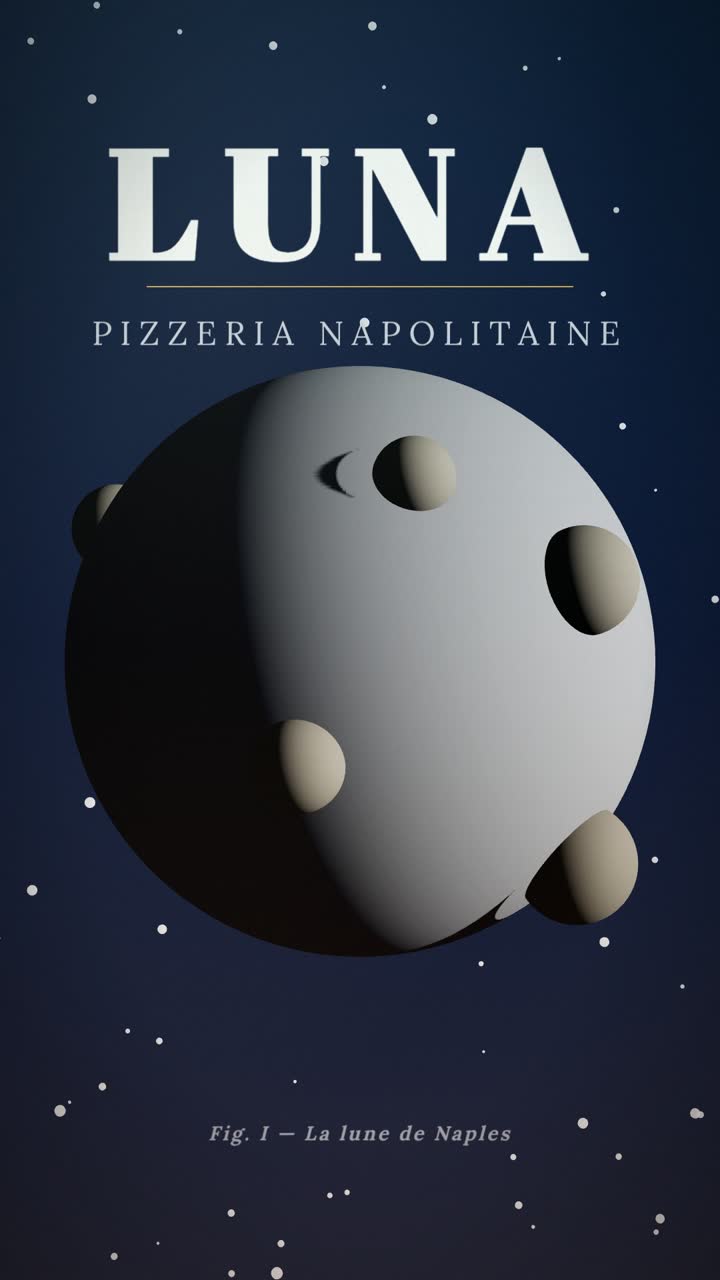
Restaurant promo
Restaurant promo: “Moon Landing”
Luna is named after the moon, and its pizza looks the part: a full moon dotted with craters, born slowly, baked over fire and landed at your door in 30 minutes like a space mission.
Watch the video and its script
What works for restaurants on Instagram Reels
On Instagram, a restaurant Reel has to make people hungry from the very first second and give them a concrete reason to come: a dish, a price, a moment. People often watch with the sound off, on the bus or during a break, so your message needs to make sense from on-screen text alone.
- A hook that speaks to a real need: "Where to go for a date night without breaking the bank?", "The best iftar in the neighborhood?" Get inspired by our guide to video hooks.
- Your real food photos: ManyMotion animates them (zooms, ingredients appearing, price popping up). A well-lit photo in natural light beats a stock image every time.
- Price and practical info: lunch special, opening hours, neighborhood, reservations, delivery. A Reel that makes mouths water without saying where and how much is a missed opportunity.
- Your industry calendar: seasonal menus, Valentine's Day, Mother's Day, Ramadan, Eid, Christmas, New Year's Eve, patio season. Prepare your Reels two to three weeks ahead.
- A call to action made for Instagram: "Book via the link in bio", "Save for your next night out", "Send this to your foodie buddy." Saves and DM shares help your video travel.
- A consistent visual identity: same colors, same fonts, logo at the end. Your Instagram grid becomes a recognizable storefront.
Mistakes to avoid
- Opening with your logo: the first seconds should show the dish or ask a question. Save the logo for the end.
- Cramming too many dishes into one Reel: one dish or one special per video is more memorable than a full menu scrolling by too fast.
- Promising what the dining room can't deliver: if the photo shows a generous plate, customers expect the same. Online reviews quickly call out the gap.
- Forgetting on-screen text: without captions or text, many viewers won't understand your offer.
- Posting once, then disappearing: one Reel a month isn't enough to make your spot stick. A simple, regular rhythm works better, like a weekly menu. For more ideas, check out our business video ideas.
- Ignoring alcohol advertising rules: if you feature wine, cocktails or beer, stick to information (origin, food pairings) rather than encouraging people to drink, avoid linking alcohol to partying or success, and check your local rules, which can be strict in some countries. When in doubt, get professional advice.
Frequently asked questions
What's the ideal length for a restaurant Instagram Reel?
+
15 to 30 seconds is enough to show a dish, a price and a call to book. The shorter it is, the more people watch to the end and rewatch it. Save longer formats for telling the story of your chef or a recipe.
How often should I post Reels for my restaurant?
+
Aim for a pace you can keep up, for example two Reels a week: one weekly menu and one signature dish or answer to a customer question. Add special Reels before every big moment (holidays, Ramadan, New Year's Eve). Consistency matters more than volume.
Do I need to appear in my Reels or show my team?
+
It's not required: your dishes, prices and atmosphere can carry the video thanks to animated photos. If you want to make your account feel more personal, a photo of the chef or team at the end of the Reel is enough. ManyMotion creates motion graphics, with no filming and no avatars.
How much does it cost, and how do I know if my Reels are working?
+
With ManyMotion, you start with 60 free credits, then plans start at $12/month (see pricing), with Wave and Orange Money payment available in Senegal. To measure results, check saves, shares and link-in-bio clicks in your Instagram insights, and ask new customers how they found you.