WhatsApp Status video for restaurants: turn today's special into an order in one message
Your customers check your Status between messages, often right before deciding what to eat. A well-made WhatsApp Status video shows the dish, the price and how to order in under 30 seconds, and the reply lands straight in your chat. Here's how to turn it into a real sales channel for your restaurant, your chop bar or your delivery kitchen.
Ready-to-use prompts
6 video ideas for restaurants
01Today's special at 10 a.m.
A short video posted before the lunch rush: the dish name, a photo, the price and the order cutoff time. Your regulars get into the habit of checking your Status every morning.
02This week's menu
A Monday Status that scrolls through the dishes from Monday to Saturday, day by day. Office customers can plan ahead and order in advance.
03Match day special
For AFCON, the Champions League or a big derby, announce your platter + soft drinks combo delivered before kickoff. The animated countdown creates urgency.
04Holiday orders
Before Eid, Christmas, a wedding or a naming ceremony, showcase your catering platters and the booking deadline. That's where the biggest orders of the year happen.
05Behind the scenes: hygiene
With photos of your clean kitchen, fresh produce from the market and sealed packaging, answer in pictures the question many people don't dare to ask.
06Customer review as a Status
Turn a screenshot of a happy customer's message into an animated video (with their permission, name hidden). The social proof comes from real contacts, just like you.
Sample script
On-screen text and voice-over, scene by scene. Paste it into ManyMotion and adapt it to your offer.
Scene 1
Hungry already? 🍽️
🎙️ “It's 11 a.m.… and you already know you're hungry.”
Scene 2
Today's jollof chicken
🎙️ “Today at Mama's Kitchen: smoky jollof rice, grilled chicken and fried plantain.”
Scene 3
₦4,500 • Free drink
🎙️ “Four thousand five hundred naira, with a free drink.”
Scene 4
Delivery to Victoria Island & Ikoyi • before 1 p.m.
🎙️ “We deliver to your office on Victoria Island and in Ikoyi, just order before 1 p.m.”
Scene 5
Reply to this status 👉 "JOLLOF"
🎙️ “Just reply "Jollof" to this status and we'll take care of the rest.”
A real example made with ManyMotion
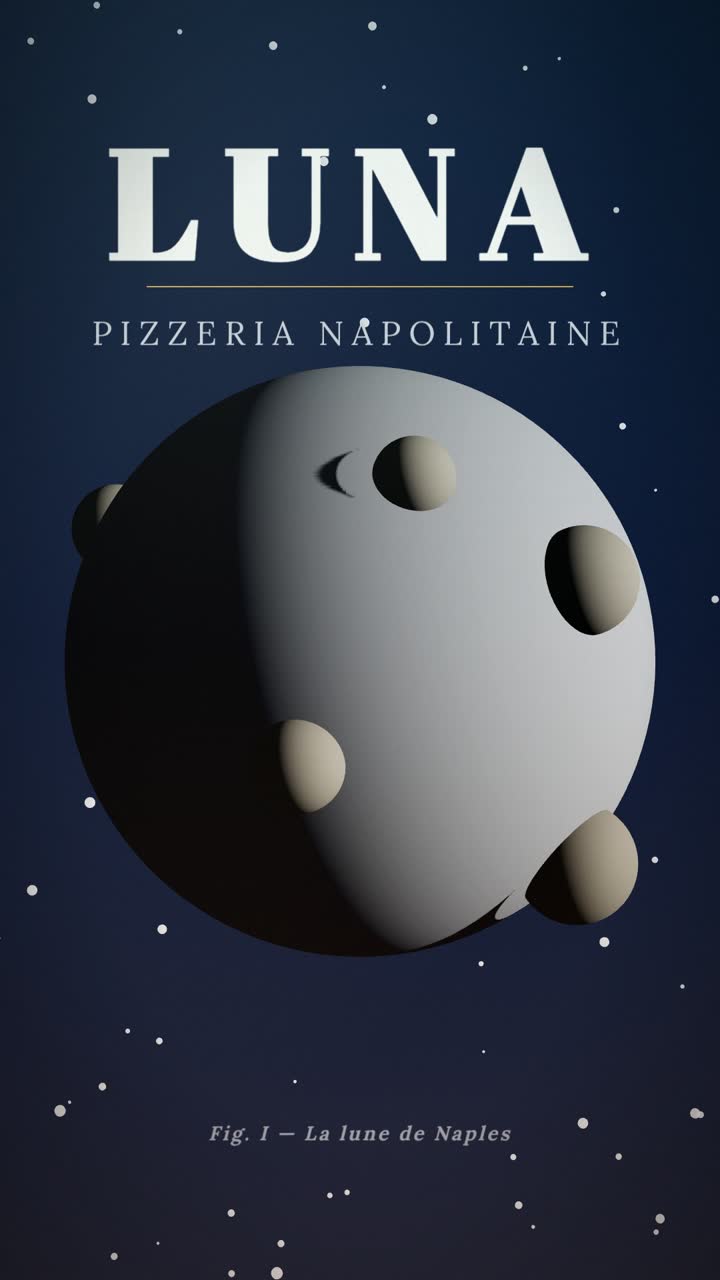
Restaurant promo
Restaurant promo: “Moon Landing”
Luna is named after the moon, and its pizza looks the part: a full moon dotted with craters, born slowly, baked over fire and landed at your door in 30 minutes like a space mission.
Watch the video and its script
What works for a restaurant on WhatsApp Status
Your WhatsApp Status is only seen by people who've saved your number: your regulars, their coworkers, your neighbors. You're not trying to be discovered, you're trying to trigger today's order. So every video needs to answer three questions: what, how much, and how to order.
- The price in big type on screen: it's the first question people would message you about, so answer it upfront.
- The cutoff time ("order before 12:30 p.m."): Status disappears after 24 hours, so the urgency is built in.
- A reply keyword ("Reply JOLLOF"): the reply to your Status lands in your chat with the video attached as a reminder, so you know exactly what the customer wants.
- Your real food photos, uploaded and animated: customers want to see the portion they'll get, not a stock image.
- The delivery areas written clearly, to avoid back-and-forth messages.
- Around 10 a.m.: today's lunch special.
- Around 5 p.m.: the dinner or weekend deal.
- The day before holidays (Eid, Ramadan, end of year): catering pre-orders.
Mistakes to avoid
- Posting 15 Status updates at once: your contacts skip them all. Two or three polished videos a day, at useful times, work much better.
- Forgetting the price or the call to action: a nice video with no "how to order" gets you "how much?" messages, not orders.
- Going over 30 seconds: the video gets split into several Status clips and the message loses its punch.
- Text that's too small or too long: on a phone, one short line per screen, readable even with the sound off.
- Promoting a dish that's already sold out: update your Status as soon as the pot is empty, because disappointment costs you a customer.
- Photos that oversell: if the portion delivered doesn't look like the video, trust collapses.
Frequently asked questions
What's the ideal length for a restaurant WhatsApp Status video?
+
Between 15 and 25 seconds: enough to show the dish, the price and how to order, without going over the 30-second Status limit. The first few seconds should already show the dish or ask a question that makes people hungry.
How many Status updates should I post per day?
+
For a restaurant, 2 to 3 well-timed Status updates are usually enough: one in the morning for lunch, one in the late afternoon for dinner, and maybe a customer review. Beyond that, your contacts may scroll past without watching.
Do I need to appear in the video?
+
No, your food is the real star. An animation with your food photos, the price in big type and a warm voice-over is more than enough, and you can add your logo so people recognize you from one Status to the next.
How do I know if my Status videos are driving sales?
+
Check the list of people who viewed your Status and count the replies and orders you get that same day. Using a different keyword for each offer ("JOLLOF", "MENU18") tells you exactly which video triggered the order.
Other formats for restaurants
For other industries
- WhatsApp status video for bakeries
- WhatsApp status video for hair salons
- WhatsApp status video for beauty salons
- WhatsApp status video for cosmetics stores
- WhatsApp status video for gyms
- WhatsApp status video for fitness coaches
- WhatsApp status video for clothing stores
- WhatsApp status video for real estate agencies